LG 3D TV Hacking
See https://gist.github.com/throwaway96/827ff726981cc2cbc46a22a2ad7337a1
for how to set NVM to debug.
TTY
Connect to USB with 2 crossed USB TTY adapters, press "d" in minicom for debug menu then
sh to console
DO NOT INSTALL THE LG DEVELOPER APP
Install Homebrew
homebrew has a script in /mnt/lg/user/var/lib/webosbrew/startup.sh
to allow ssh etc.
MAKE SURE YOUR /mnt/lg/user/var/lib/webosbrew/init.d scripts finish within the failsafe timeout
Autostart
There is often no way to autostart this script, check /etc/init.d on the ro system partition.
Heed the warning not to write / remount rw the system partition
Hijack the devmode script in /etc/init.d/demode.conf
Line 35
if [ -e /var/luna/preferences/devmode_enabled ] ; then
    TMPDEVDIR=/tmp/developer
    MEDIADEVDIR=/media/developer
    mkdir -p ${TMPDEVDIR}/log
    mkdir -p ${MEDIADEVDIR}
    chmod -R 777 ${TMPDEVDIR} ${MEDIADEVDIR}
    ln -s ${TMPDEVDIR}/log ${MEDIADEVDIR}/log
    if [ -f /media/cryptofs/apps/usr/palm/services/com.palmdts.devmode.service/start-devmode.sh ] ; then
        chmod -f 700 /media/cryptofs/apps/usr/palm/services/com.palmdts.devmode.service/start-devmode.sh || true
        /media/cryptofs/apps/usr/palm/services/com.palmdts.devmode.service/start-devmode.sh || true
    fi
fi
As you can see when directory /var/luna/preferences/devmode_enabled exists (it should already be there)
it will run that /media/cryptofs/apps/usr/palm/services/com.palmdts.devmode.service/start-devmode.sh
so create that folder and script:
mkdir -p /media/cryptofs/apps/usr/palm/services/com.palmdts.devmode.servicevim or
cat << 'EOF' > /media/cryptofs/apps/usr/palm/services/com.palmdts.devmode.service/start-devmode.sh
#!/bin/sh
if [ -x /var/lib/webosbrew/startup.sh ]; then
    /var/lib/webosbrew/startup.sh &
fi
EOF

# executable
chmod 755 /media/cryptofs/apps/usr/palm/services/com.palmdts.devmode.service/start-devmode.sh

# should exist if set in homebrew app
touch /var/luna/preferences/webosbrew_sshd_enabled
sync
Reboot! You do NOT need a timeout for network as sshd listens on all
Backlight
Can now be controlled via SSH
local tv_brightness=50
ssh root@"$tvip" "nohup luna-send -n 1 \"luna://com.webos.settingsservice/setSystemSettings\" '{\"category\":\"picture\",\"settings\":{\"backlight\":$tv_brightness}}' > /dev/null 2>&1 &"-
Needs to be without quotes so
{"backlight":50} -
This command will only run if you catch the returned JSON result, so use
nohup ... > /dev/null 2>&1 &
Lag
Panel is at about 55ms, no you cannot get this lower with the LG Soc.
To get direct V-By One sub 2ms lag buy
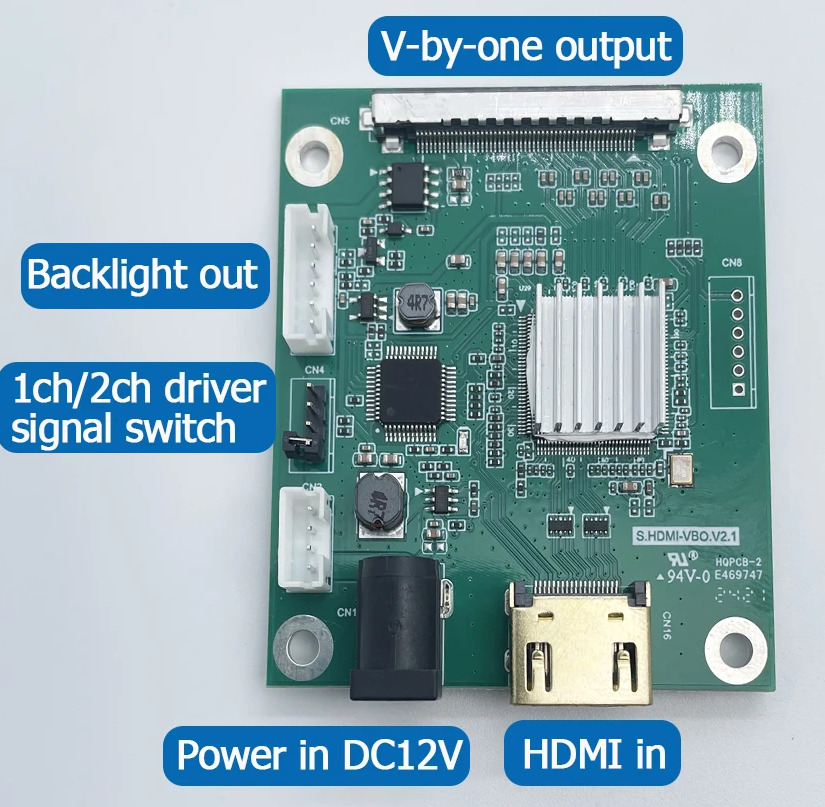
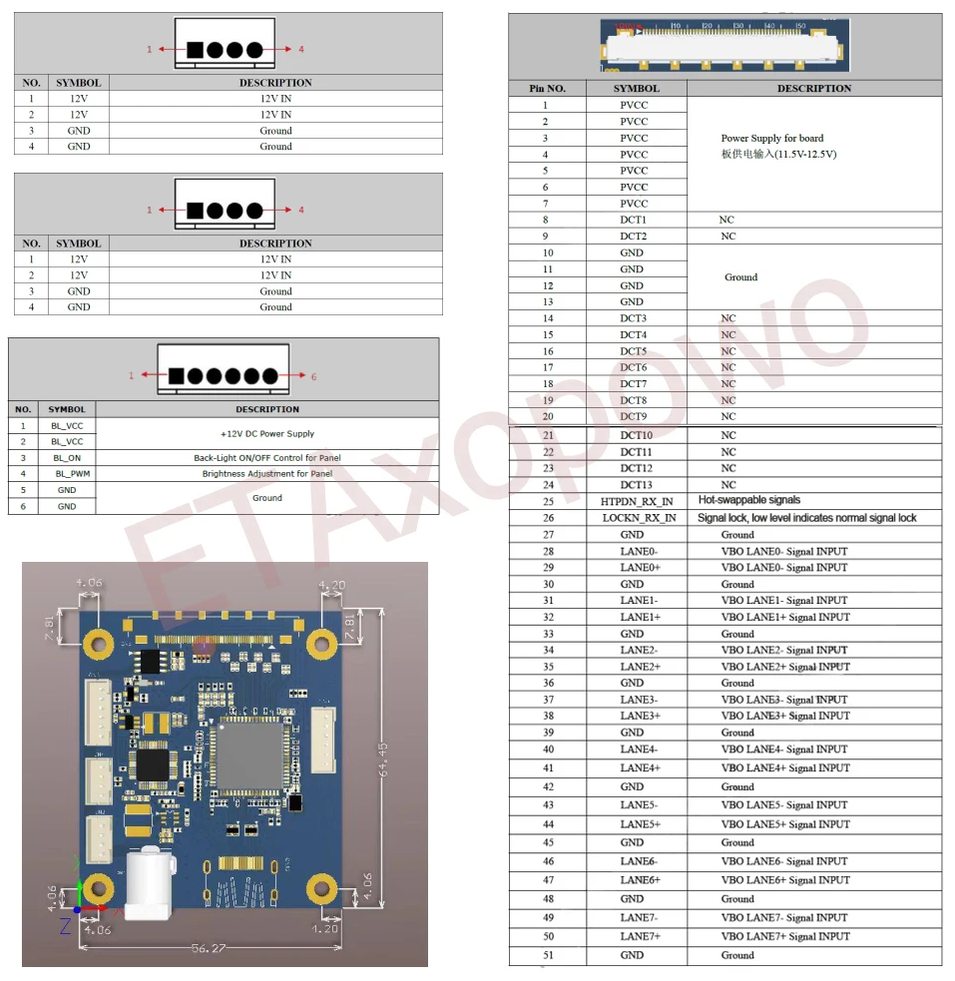
S.HDMI-VBO-V2.1